
How to add your business location on Instagram for education readers
Clear, practical steps to add a business location on Instagram, with educational context, best practices, and common pitfalls for students and educators.

If you run an educational service, adding your business location on Instagram helps students find you for in-person or hybrid courses. Start by confirming you have a business profile and access to your account settings. Then, follow these steps to add a location that aligns with your teaching spaces and campus addresses.
This guide keeps the process straightforward: locate the right fields in Instagram, connect your business to a physical address, and verify how the location appears to followers. You’ll also learn how to adjust visibility and how to compensate for campuses with multiple buildings.
Finally, the article explains how to keep location data accurate over time, so students can reliably find your classes, office hours, or study sessions on campus.
Basics of location on Instagram
Set up business profile
Start by converting your personal profile to a business account if you have not already done so. This change unlocks location features and insights about who sees your posts. Ensure your profile includes a clear bio that mentions your institution and department. add your business listing in Iowa
Next, add your primary campus address in the contact options. This is what anchors your location for followers and helps the platform suggest your venue when students search nearby, especially around class times.
Finally, review privacy settings to control who can see your location on posts and stories. You can limit location tagging to followers or keep it public, depending on your teaching context.
- Switch to Business profile
- Add campus address
- Check visibility settings
Connect to your campus location
Link your Instagram location to a real campus or classroom building. Use a precise address that matches campus records to prevent confusion for students. This helps first-time visitors find your class or study group without extra steps.
If your institution uses multiple campuses, consider creating a separate location for each site. This prevents students from landing at the wrong venue when they search nearby.
- Use exact campus addresses
- Create separate locations for each site
- Keep addresses consistent with campus maps
How to add a location via the IG app

Add location in post drafts
Open the post composer and begin a new post. Tap location to search for your campus or venue, then select the correct option from the results. This links the post to your chosen destination and helps students recognize the event or class at a glance. A useful resource on this topic: iowadaily.com news.
If the campus location does not appear, use the “Add from Map” option if available, or create a new location entry with your institution’s name and street address. It may require a moment to populate.
Review the final caption to ensure the location tag aligns with the content and dates of the class or service being offered.
- Search campus location
- Choose correct venue
- Verify address in caption
Add location in Stories
Stories offer a quick way to share current classes or events with location information. Add a location sticker and place it near the bottom of the frame so students can tap it to learn more.
If your event spans several days, pin the location sticker to the frame multiple times or save the story as a highlight under your course name.
Consider including a campus map link in the story if your institution provides one, to ease navigation for students.
- Use location sticker
- Pin to highlights
- Provide campus map link
Privacy and accuracy checks
Review who can see location
Location visibility affects how approachable your course appears. Tighten visibility if you only want enrolled students to access location details. Conversely, broader visibility can help prospective students discover your offerings. Make a deliberate choice based on your teaching goals. A useful resource on this topic: community events in Iowa.
Regularly audit your location tags to ensure they point to current, correct addresses. Campus moves or temporary classrooms happen; inaccurate data harms trust and attendance.
Maintain consistency across all posts and stories so a student’s search experience remains predictable.
- Control audience
- Audit regularly
- Ensure consistency
| Approach | Pros | Cons |
|---|---|---|
| Single campus listing | Simple to manage | Limited reach across multiple sites |
| Multiple campus locations | Better for multi-site programs | Requires careful naming and updates |
| Location in bio vs posts | Always visible | May be overlooked by followers |
Coordinate with campus communications
Coordinate with the campus communications team to standardize how locations are listed on social media. A shared naming convention helps students recognize venues across posts and channels. It also reduces errors when multiple faculty list the same site.
If the campus has an official directory or map, link your location to that resource in your bio or story highlights. This connects your Instagram presence to institutional information readers rely on.
Document changes to locations in a simple log so the course team stays synchronized.
- Use a shared naming convention
- Link to official maps
- Maintain a change log
Next, consider using neighborhood or city-wide location tags for broader reach when your programs are offered across a district.
Practical options for listing locations
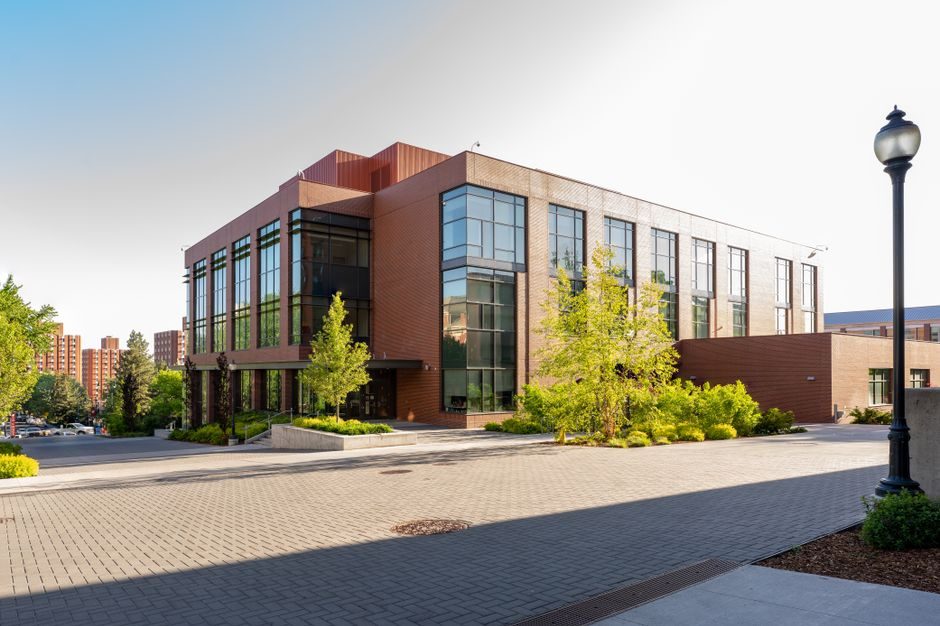
Locate multiple campus listings
Start by adding your primary campus location as the official address in the business profile. This helps students find the correct building during orientation or open houses. If you operate satellite classrooms, add each site with a distinct name and precise coordinates to avoid confusion. A useful resource on this topic: place an advert in Iowa.
- Confirm the primary campus address.
- Add any satellite locations with distinct names.
- Check map pin alignment with entrances.
- Review monthly for accuracy
Next, consider using neighborhood or city-wide location tags for broader reach when your programs are offered across a district. This can help prospective learners who search by city rather than specific rooms. Keep the naming concise to stay clear in the profile grid.
Finally, monitor how location data appears in search results and on maps. Inaccurate pins lead to missed visits or misdirected inquiries, so periodically verify that the pin aligns with real-world entrances and signage.
- Add each campus as a separate location
- Use clear, consistent naming
- Verify on maps after updates
- Adjust for changes in address or hours
Common mistakes and how to fix them
Common mislabeling issues
A common mistake is using a generic title like “Main Campus” without referring to the city or department. This creates ambiguity for students arriving from different districts. Use precise, official names tied to your institution’s records. A useful resource on this topic: funeral notices in Iowa.
- ☐ Use official campus names as listed in the catalog.
- ☐ Link to a map from the profile where possible.
- ☐ Keep a single authoritative source for each location.
Another frequent error is outdated hours or closed satellite centers appearing as active locations. Regularly sync hours with the campus calendar and update during breaks. This prevents wasted trips and reduces phone inquiries.
Finally, some profiles omit locations entirely, relying on vague biographical notes. A missing address makes it hard for learners to validate the school’s existence or plan a visit. Always include a verifiable address and a nearby landmark.
- Ambiguity in naming
- Outdated hours
- Missing location data
- Lack of landmarks
Student-facing benefits of accurate locations

How precise locations help learners
Clear locations reduce frustration when planning campus visits for tours or admissions meetings. Learners can align their travel planning with bus routes or parking options, increasing attendance. A well-mapped presence also supports accessibility inquiries.
Accurate pins enable better scheduling of in-person help sessions, labs, and study spaces. When students know exactly where programs occur, they can optimize their day and minimize backtracking between rooms. This saves time and improves learning focus.
Finally, accurate locations support emergency planning and campus safety. Faculty and staff can direct students quickly if a location is correctly labeled on internal maps and public profiles.
- Reduces visit friction
- Improves daily planning
- Supports safety and clarity
Tips for dynamic campus schedules
Updating locations during term shifts
Term shifts often bring changes to room allocations or temporary pop-up classrooms. Commit to a quarterly review of all listing data, especially when rooms move for special events or renovations. A simple spreadsheet can track changes and trigger reminders.
When a new class or program begins, add its location promptly and verify it with the registrar’s office or facilities management. This keeps the information consistent across Instagram and other platforms.
Communicate changes to learners through a clear post that includes updated location details and the date of the change. This reduces confusion and shows that your institution maintains current information.
- Set quarterly review reminders
- Coordinate with facilities
- Post timely updates
Frequently asked questions
Do I need a separate location for every campusNot necessarily. If you operate multiple closely linked facilities, you can group them under a single, clearly named location with suburbs or district identifiers. Separate locations are best when campuses function independently with distinct hours or programs. Evaluate learner needs and map accuracy, and ensure any grouping reflects actual schedules and access routes.
How often should locations be reviewedLocations should be reviewed at least quarterly and after major schedule changes, renovations, or new campus openings. A quick audit verifies names, addresses, and hours align with the current plan. Regular checks prevent outdated information from lingering and build learner trust.
What if a building has temporary roomsLabel the main location clearly and note temporary room changes in the description or a pinned update. Always provide a reliable path to the main entrance and references to signage. Update the profile as soon as the room allocation stabilizes.
Can I use public landmarks in place of exact addressesYes, landmarks can help learners orient themselves when exact addresses are less practical. Pair landmarks with a precise street or campus building name to keep navigation accurate. This approach supports visitors who rely on local cues.
Next steps for educators
Take stock of current Instagram location data and identify gaps where a campus or program is underrepresented. Create a plan to add or fix locations, then set a calendar reminder for monthly checks. The goal is practical accuracy that helps students engage with your institution.
Prepare a short, student-facing post that communicates updates about locations, hours, and access points. Include a link to the campus map or admissions page so learners can verify details quickly. A transparent update cadence boosts confidence and participation.
Add Atherton FM as a preferred source on Google


